
Manage annotators
Terminology
Annotator
The user that will create annotations on a given annotation campaign.
Annotation Phase
A phase characterises the work carried out on a campaign. There are two types of phase:
- "Annotation": This type of phase is used to make an initial annotation of the campaign, based on empty spectrograms. This type of phase can also be used to import external annotations, for example from automatic detectors.
- "Verification": Verification phases are used to validate/invalidate annotations made in the “Annotation” phase. If a user is assigned to both phases, he will not be able to validate his own annotations.
The two phases can take place simultaneously.
Annotation Campaign
A campaign refers to the annotations of a dataset with a defined set of labels and tasks. Each campaign is defined by a name, a dataset and spectrogram configurations. A campaign is made up of phases.
You can manage annotators of a phase at any time
At the top of the page, click on the annotators button: 
For each annotator you can specify the range of file he/she can annotate. You can set two different ranges for the same annotator. You can add new annotator with the search input.
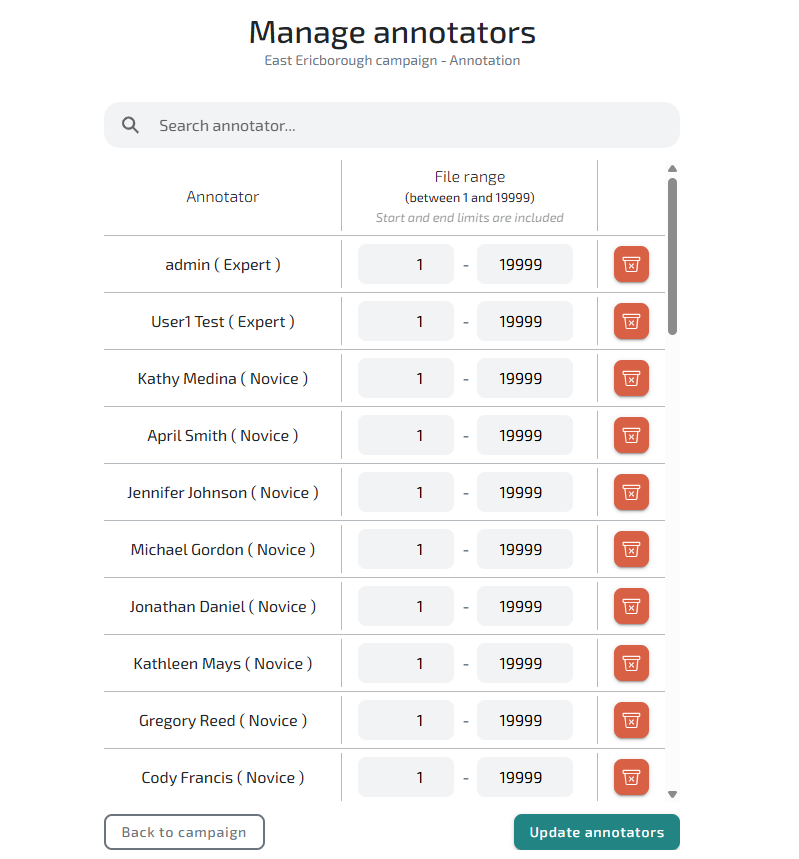
You can also add annotators by group.
Create an annotator group
Access APLOSEs administration part with the "Admin" link
Look for “Annotator group” in the “APLOSE” block and click on “Add”

You can fill in the form with the name of your group, and add the users you want in.
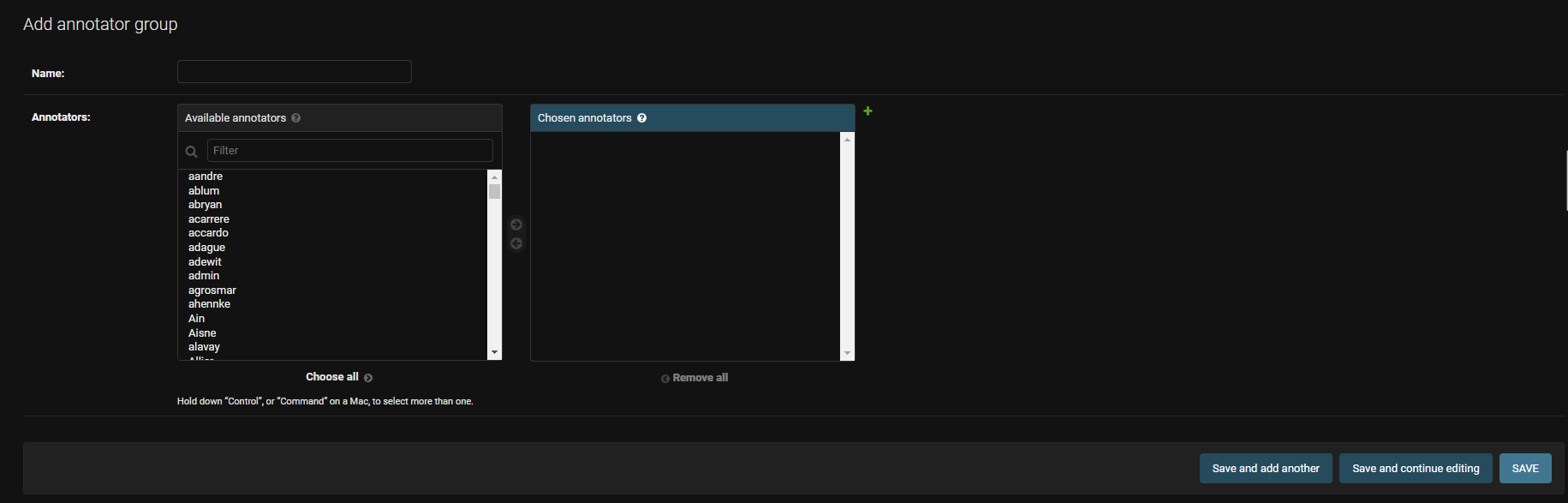
When your form is filled you can save it.
WARNING
For now the group is just a helper to add many annotators at once, but the linked isn't kept between the group and the campaign. If you later add annotator to the group, they won't be added to the campaign!
INFO
You will be able to add annotators or files to an annotator at any time.